

VPN for students
You will need VPN connections to access certain THWS services. Staff or lecturers will usually direct you to this service if it is necessary for you.
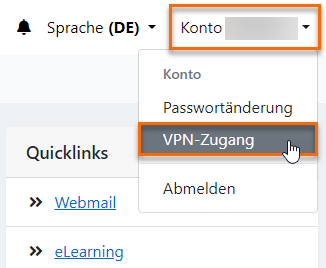
To use the VPN (Virtual Private Network), you must submit the "Application for VPN Use" via the Student Portal. You can find the application by clicking on your account name in the top right-hand corner of the portal.
To install the VPN client, please follow our instructions.
Instructions for installing the VPN client for Windows (German, English)
Instructions for installing the VPN client for Mac OS (German, English)
If you encounter any problems with the VPN client installation or with any of the services you are trying to access, please always contact your lecturer or your faculty administrator first.